Showing posts with label FAcebook. Show all posts
Disable Facebook Timeline Beta Profile

You might have read my post on how to enable Facebook’s new Timeline profile but realised that none of your friends can see this profile , or many of us may not have liked this new profile page and are willing to bring back to old Facebook Profile page. For all those guys/gals who want to come back to old Facebook profile here is the simple way to do it.
1) Go to Facebook Apps page.
2) Click on the app you have created and then click on the Open Graph link from the left hand side navigation menu.
3) Click on Edit Open Graph as shown in the below picture.


4) Delete all three Open Graph settings by clicking on the buttons mentioned below.

Just go back to your profile page in Facebook home page, you can see your old Facebook profile page is back .
Tag :
FAcebook
Timeline your Facebook Profile
Counter atacking the plus hype facebook launched a number of new features at the f8 confrence (22 SEP 2011).One of those features is called Timeline which gives your profile a totally kool look.
Striking Features of Timeline Profile
Here’s how to do it:
1. Log into Facebook.
2. Enable developer mode, if you haven’t already. To do this, type “developer” into the Facebook search box, click the first result (it should be an app made by Facebook with a few hundred thousand users), and add the app.

3. Create a new app (don’t worry — you wont actually be submitting this for anyone else to see/use). Give your shiny new app any display name and namespace you see fit. Read through and agree to the Platform Privacy agreement. This is the step you need to be verified for.


4. Ensure you’re in your new app’s main settings screen. You should see your app’s name near the top of the page.

5. Look for the “Open Graph” header, and click the “Get Started using open graph” link. Create a test action for your app.
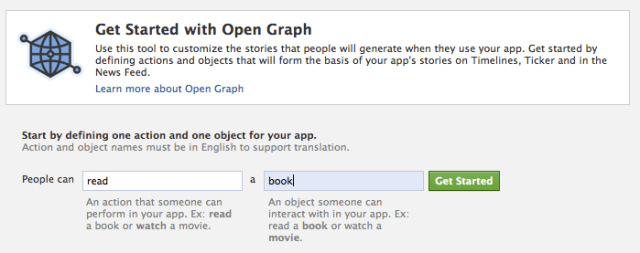
6. This should drop you into an action type configuration page,click through all three pages of settings.
7. Wait for a min and then go back to your Facebook homescreen. An invite to try Timeline should be waiting at the top of the page.
And you’re done!
Disabling Timeline
Tag :
FAcebook